
Check the fiscal result of an issued invoice and, once SIFEN confirms its approval, share the invoice with the client.
1. Check the SIFEN result
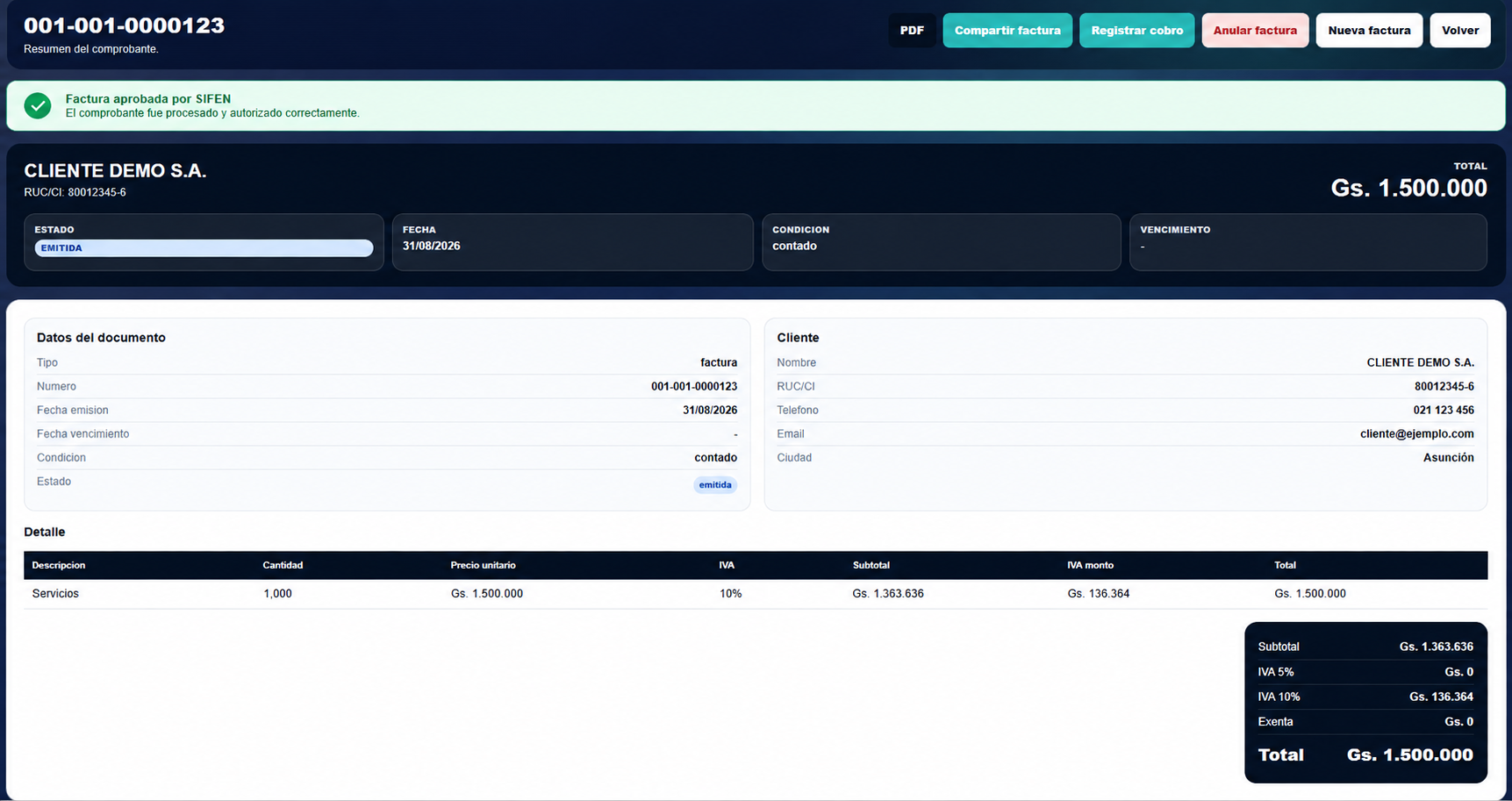
Open the issued invoice and review the SIFEN information displayed for the document.
While the final authority result is not yet available, the invoice remains ISSUED with SIFEN pending.
When SIFEN processes the document and returns an approved fiscal result, EventFlow FE PRO displays the corresponding confirmation.
Select the image to open the full-size view.
ISSUED identifies the document state within EventFlow FE PRO. The SIFEN approval displayed for the invoice is the fiscal result returned by the authority.
An issued invoice should only be treated as approved by SIFEN when the corresponding fiscal result is available.
2. Share the invoice
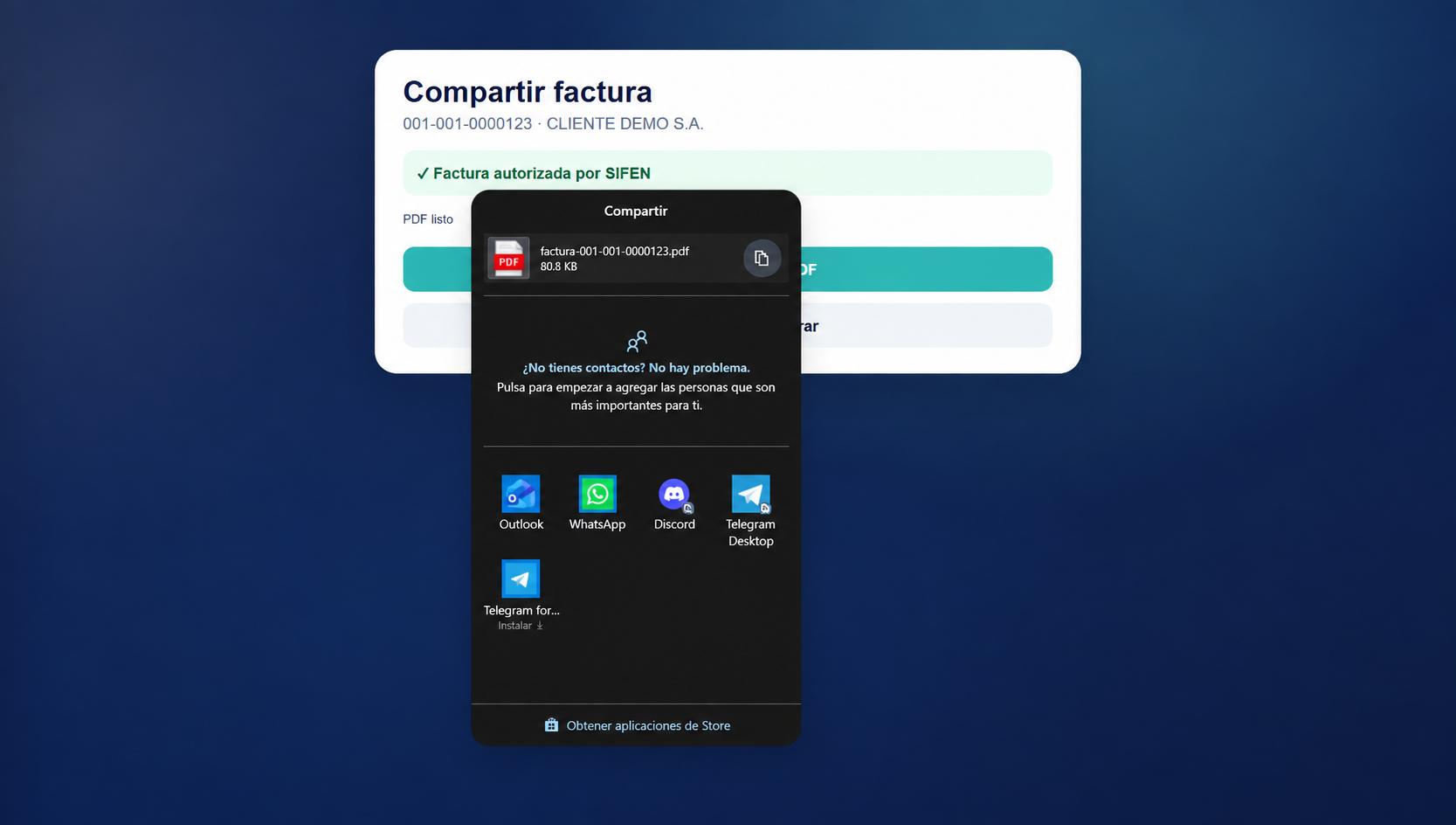
Once the approved SIFEN result is available, select Share invoice.
EventFlow FE PRO prepares the invoice PDF and opens the sharing options available on the device.
Select the image to open the full-size view.
3. Select a sharing option
Select the application or channel through which the invoice will be sent to the client.
The available sharing options depend on the operating system and the applications installed on the device.
4. Complete the share
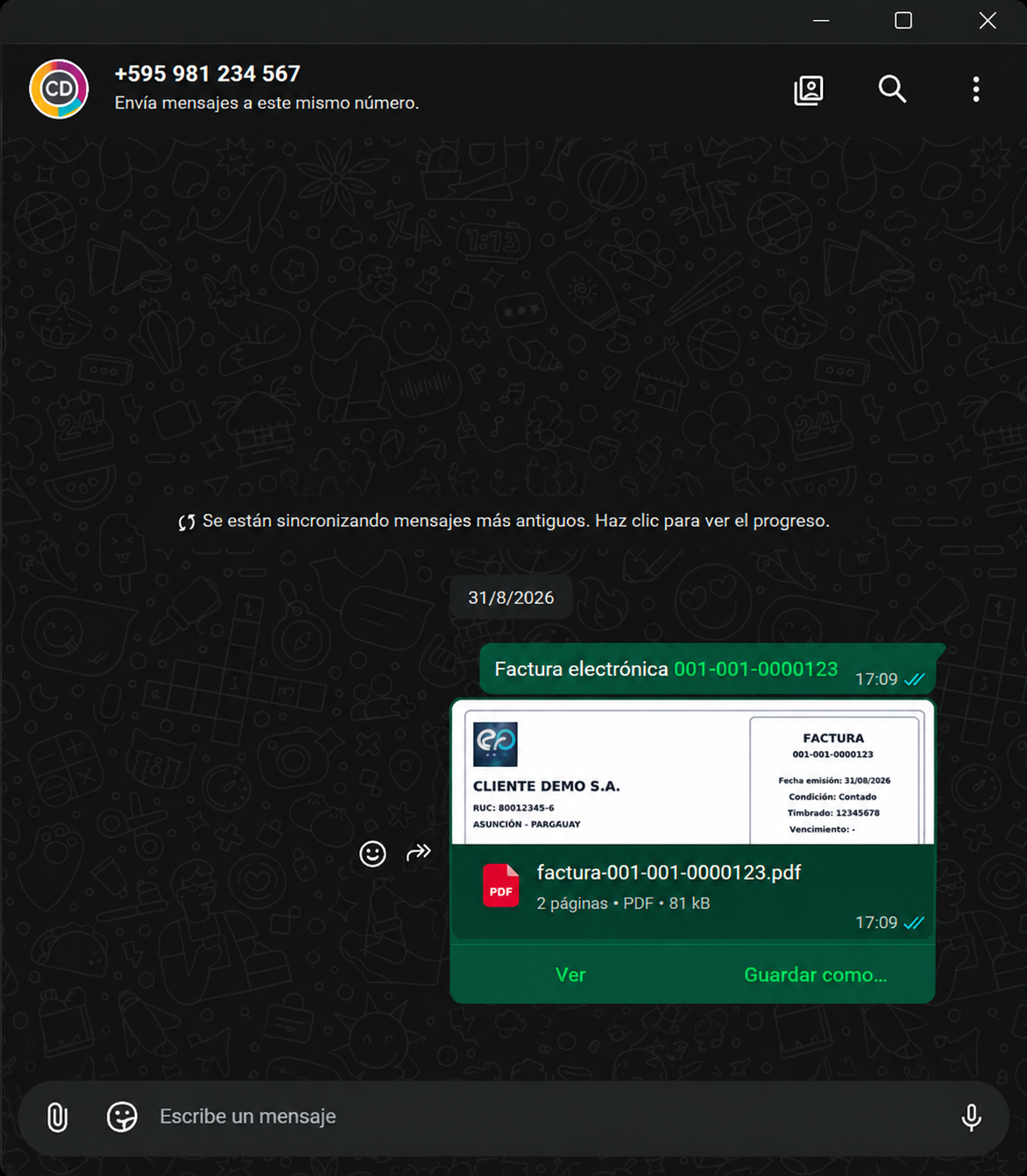
Complete the sharing action in the selected application. The invoice PDF can then be delivered to the client through that channel.
Select the image to open the full-size view.
Invoice approved and ready for delivery
The invoice remains ISSUED in EventFlow FE PRO with its corresponding SIFEN approved fiscal result.
The approved invoice can be generated as a PDF and shared with the client. The document and its fiscal result remain available in EventFlow FE PRO for subsequent consultation and operational actions.