
Check the fiscal result returned by SIFEN and, once the invoice is approved, use EventFlow FE to generate or share the PDF with the client.
1. Check the SIFEN Result
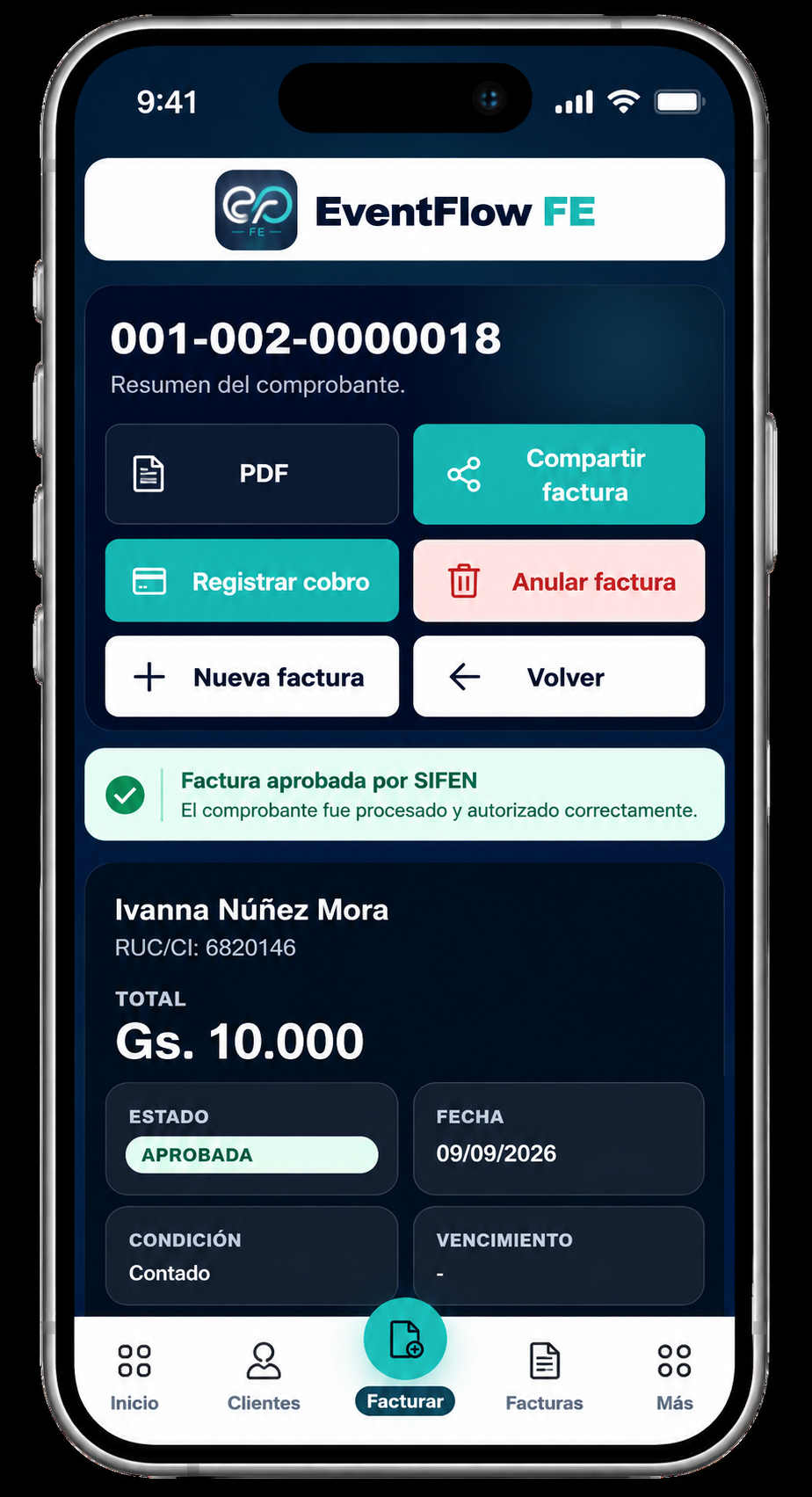
After an invoice is issued, EventFlow FE waits for the corresponding fiscal result from SIFEN.
Once SIFEN returns the result, EventFlow FE updates the invoice automatically. If the document is approved, the invoice displays Approved by SIFEN and the actions that depend on fiscal approval become available.
At this point you can:
- PDF. Open the approved invoice as a PDF document.
- Share Invoice. Prepare the approved PDF for sharing with the client.
2. Open Share Invoice
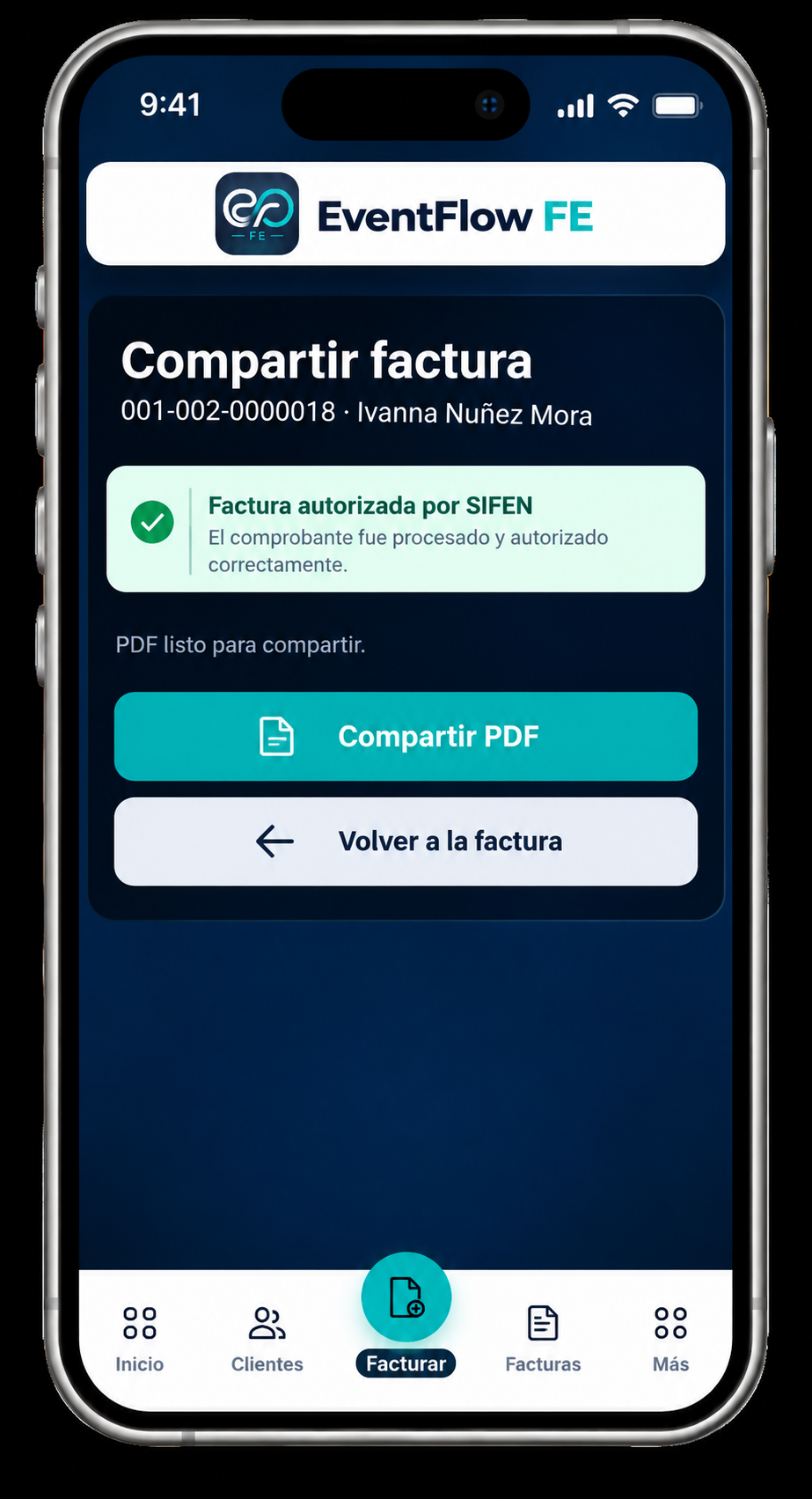
Select Share Invoice from the approved invoice.
EventFlow FE confirms the SIFEN authorization and indicates that the PDF is ready to share.
Select Share PDF to continue.
3. Choose How to Share
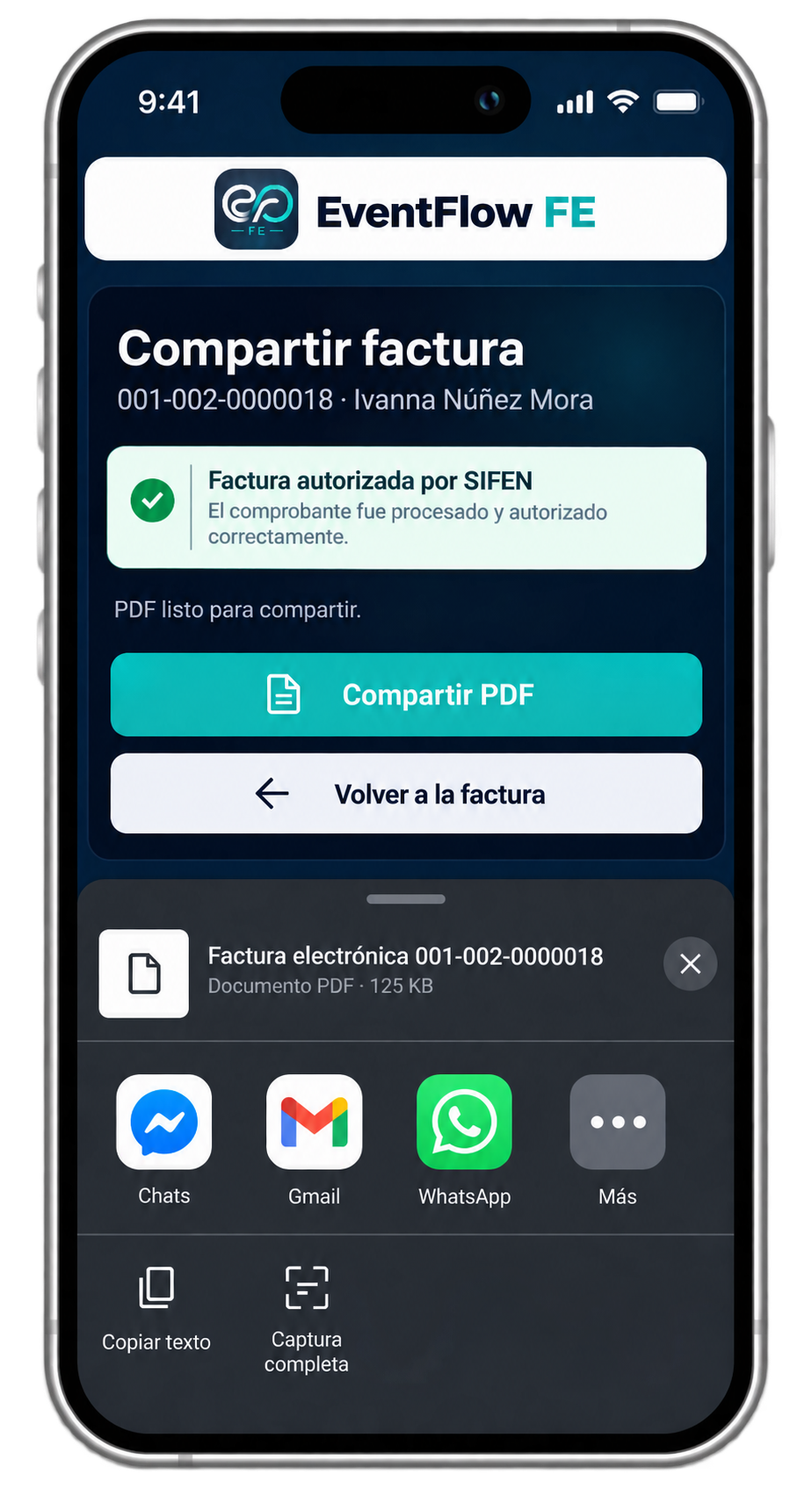
The device opens its available sharing options for the invoice PDF.
Select the application or channel you want to use, such as email or a messaging application. The available options depend on the applications and services configured on the device.
4. Send the PDF
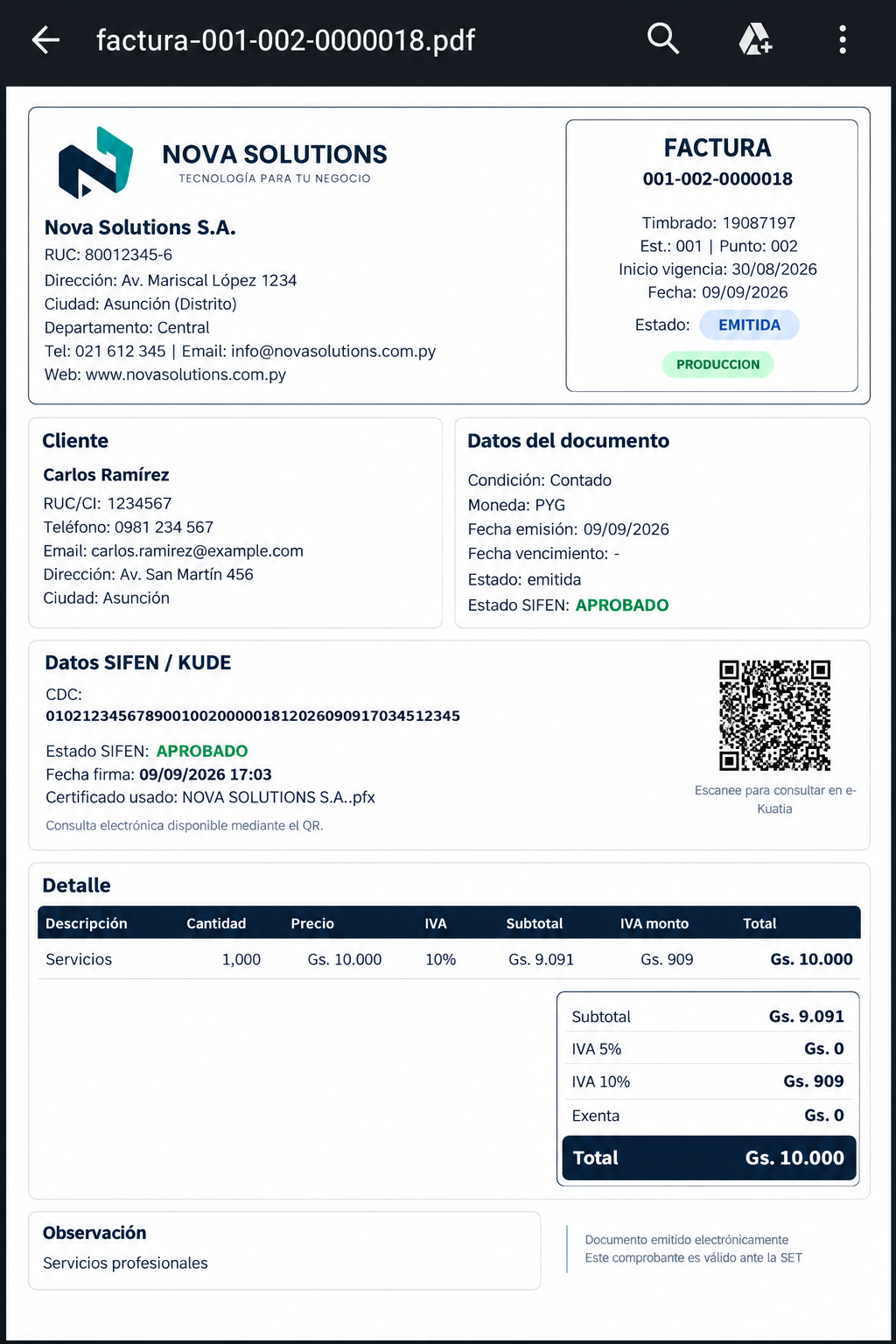
The client receives the invoice as a PDF containing the document information and the corresponding fiscal information.
The PDF includes the SIFEN result, CDC and QR used to consult the electronic document in e-Kuatia.
Invoice delivered
The invoice has completed the flow from issuance to fiscal approval and can now be delivered to the client.