
Review billing, collection and document activity using the reports available in EventFlow FE. Reports can be filtered by date range and document status, and the resulting data can be exported as CSV.
1. Open Reports
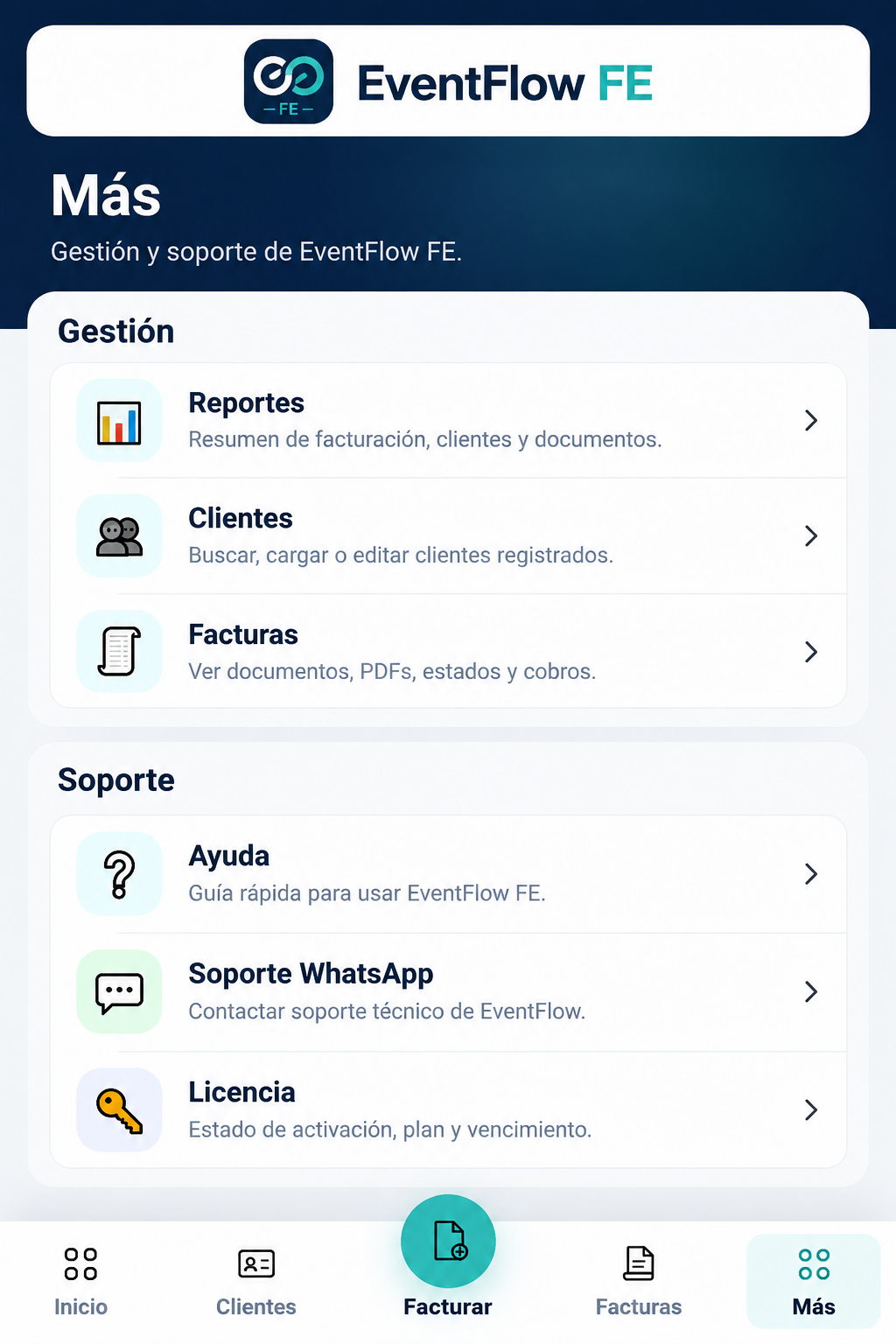
Open More from the main navigation and select Reports under the management options.
2. Apply Filters
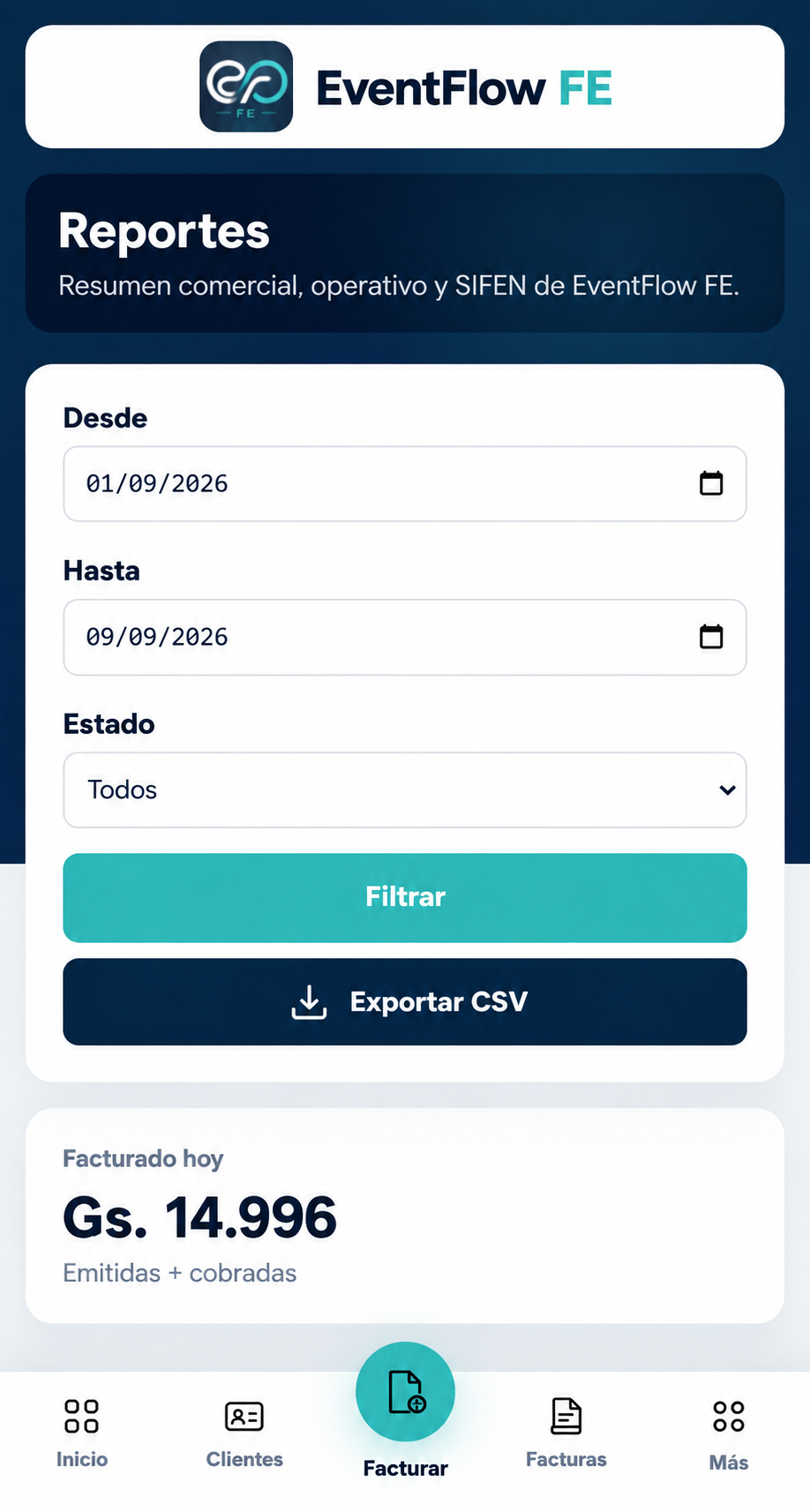
Use the available filters to define the report:
- From. Select the beginning of the date range.
- To. Select the end of the date range.
- Status. Select a document status or keep All to view the results without filtering by status.
Select Filter to apply the criteria.
You can also select Export CSV when you need the report data in CSV format.
3. Review the Results
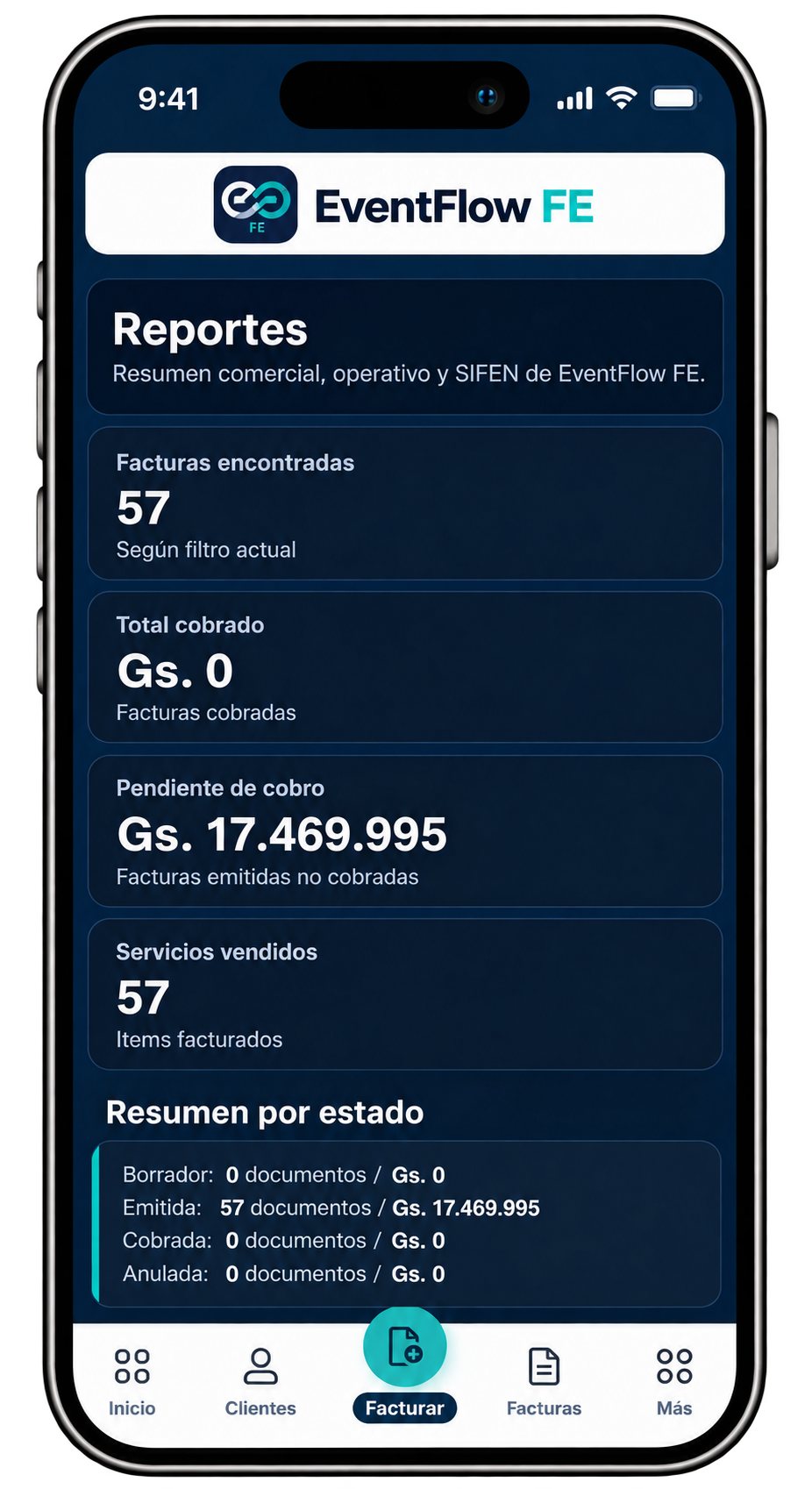
Depending on the selected range and status, the screen can show:
- Invoices found. Number of invoices included in the current result.
- Total collected. Amount corresponding to invoices recorded as collected.
- Pending collection. Amount corresponding to issued invoices not yet recorded as collected.
- Services sold. Number of invoiced items included in the result.
- Summary by status. Number of documents and corresponding amounts grouped by the available document states.