
SIFEN Environment
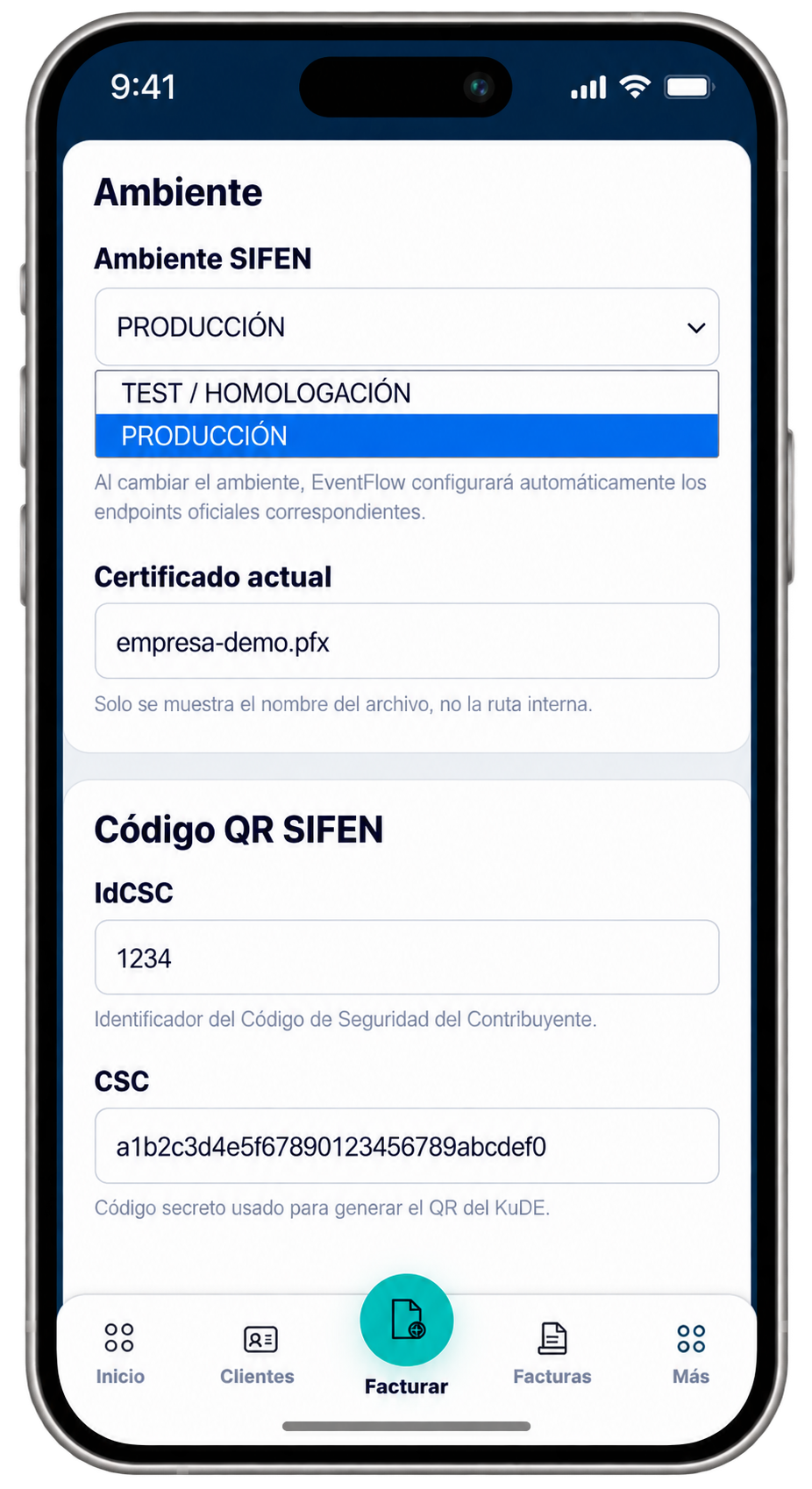
Configure the SIFEN environment that EventFlow FE will use for fiscal interoperability.
Use TEST / HOMOLOGATION when validating the configuration without issuing fiscally valid documents. Select PRODUCTION for real fiscal operation.
EventFlow FE configures the corresponding official SIFEN endpoints according to the selected environment.
Complete the taxpayer’s QR security information:
- IdCSC. Enter the identifier assigned to the taxpayer’s Código de Seguridad del Contribuyente.
- CSC. Enter the taxpayer’s security code used for SIFEN QR generation.
Electronic Signature
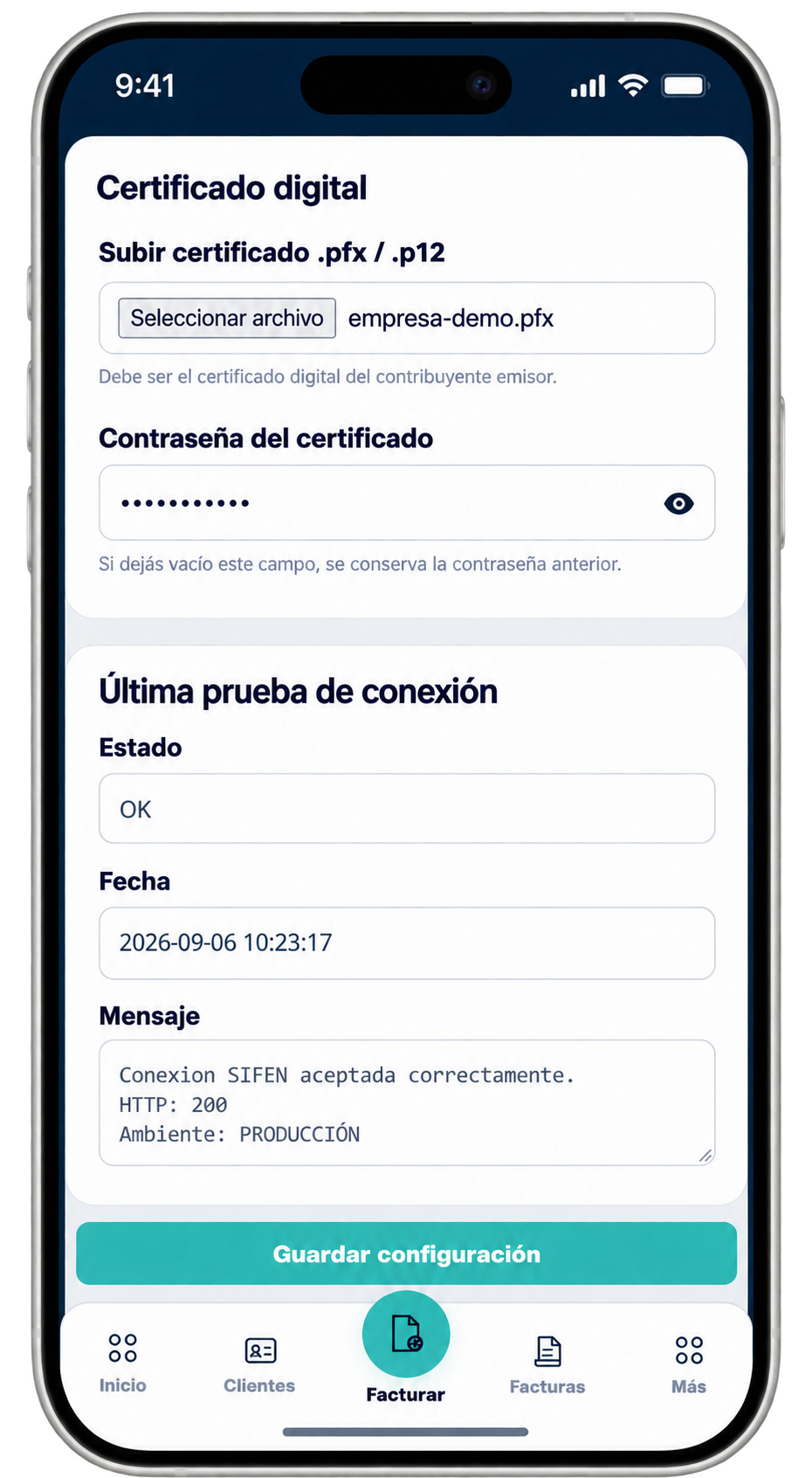
Configure the electronic signature used to sign fiscal documents before submission to SIFEN.
Upload the digital certificate provided to the issuer by a Prestador Cualificado de Servicios de Confianza (PCSC).
EventFlow FE accepts the applicable certificate file in .pfx or .p12 format.
Enter the password associated with the digital certificate. The certificate must correspond to the electronic invoicing issuer, and the password must be the password associated with that certificate.
SIFEN Connection Test
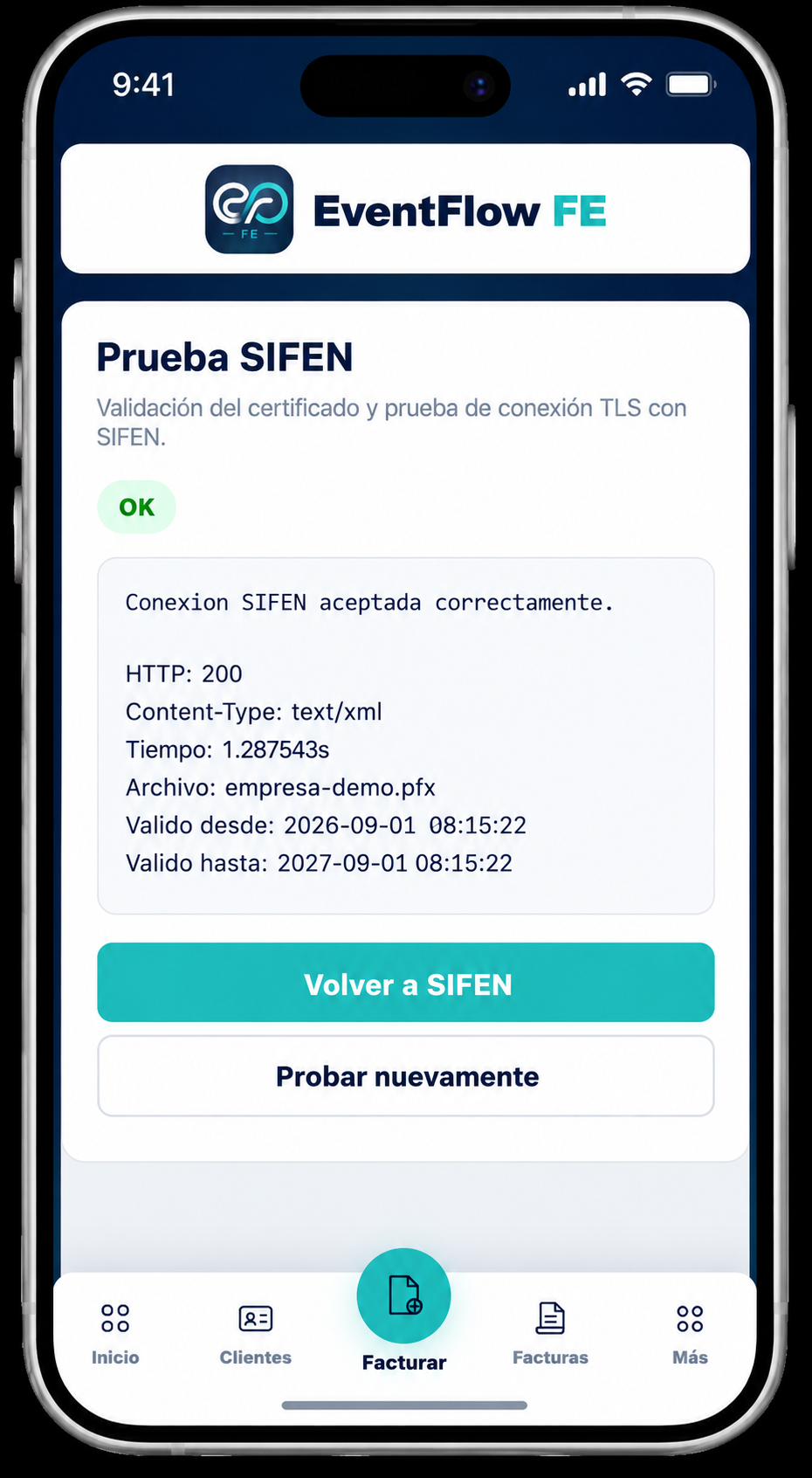
After the environment, CSC information and electronic signature have been configured, test the connection with SIFEN.
The connection test validates the configured certificate and verifies communication with the SIFEN environment currently selected in EventFlow FE.
A successful result is displayed as OK together with the connection response and certificate information.
If the test is successful, the SIFEN configuration is ready for the fiscal document issuance flow.
SIFEN configuration complete
Once the SIFEN environment, CSC credentials and electronic signature have been configured and the connection test succeeds, continue by adding the services you invoice and the clients you work with.