
Más Panel
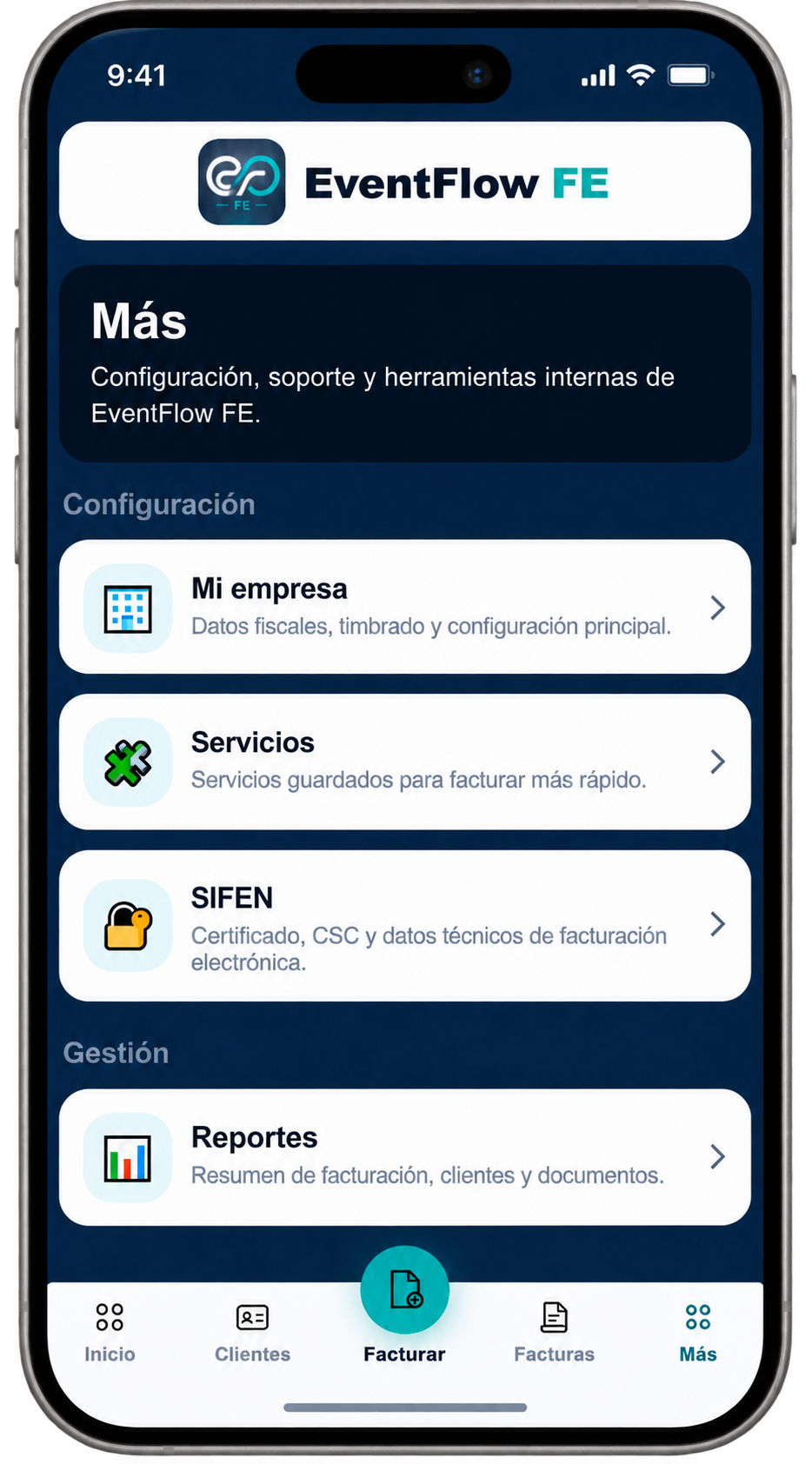
Issuer configuration defines the fiscal, numbering and business information used by EventFlow FE when preparing electronic fiscal documents.
From the EventFlow FE navigation bar, select Más (More). Under Configuración, select Mi empresa (My Company).
Fiscal Data
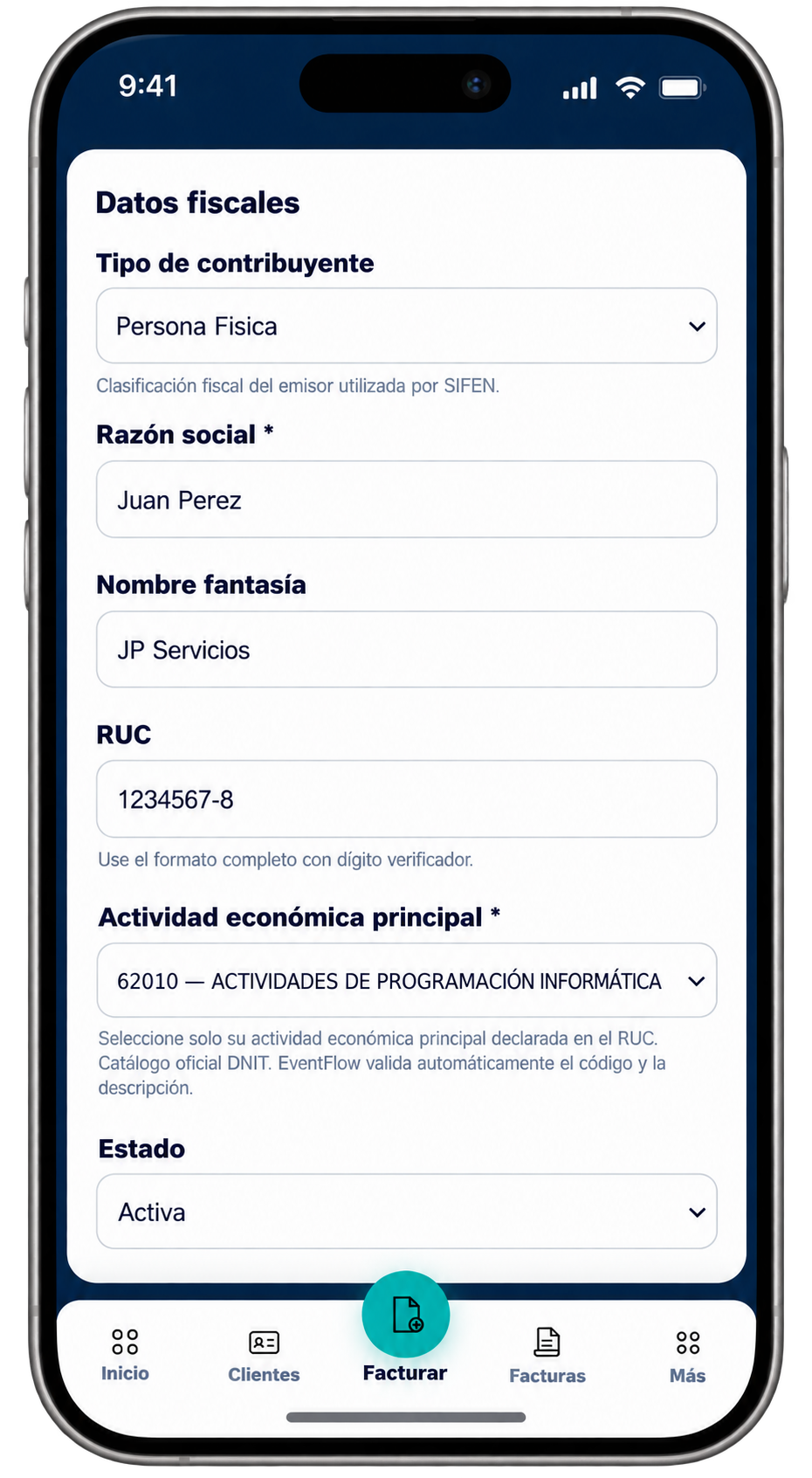
Complete the fiscal identification of the issuer.
Select the taxpayer type and enter the legal name, trade name and RUC. Then select the issuer’s principal economic activity according to the DNIT nomenclature.
EventFlow FE validates the economic activity code and description against the applicable DNIT catalog.
Timbrado and Numbering
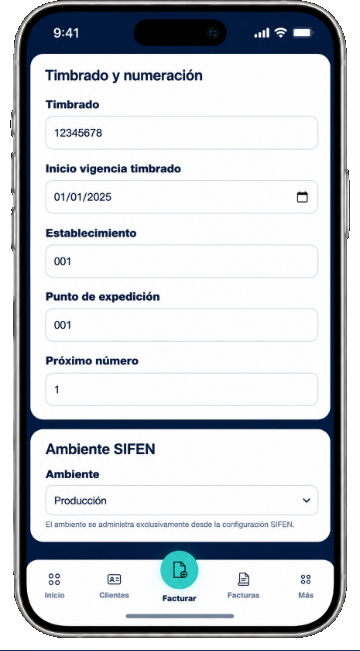
Enter the electronic timbrado and numbering information used for fiscal document issuance:
- Timbrado. Enter the issuer’s electronic timbrado number.
- Timbrado validity start date. Enter the date from which the timbrado is valid.
- Establishment. Enter the applicable establishment code.
- Expedition point. Enter the applicable expedition point.
- Next number. Set the next fiscal document number to be issued.
The SIFEN environment shown in this section is managed from the SIFEN configuration and is not configured here.
Contact Information
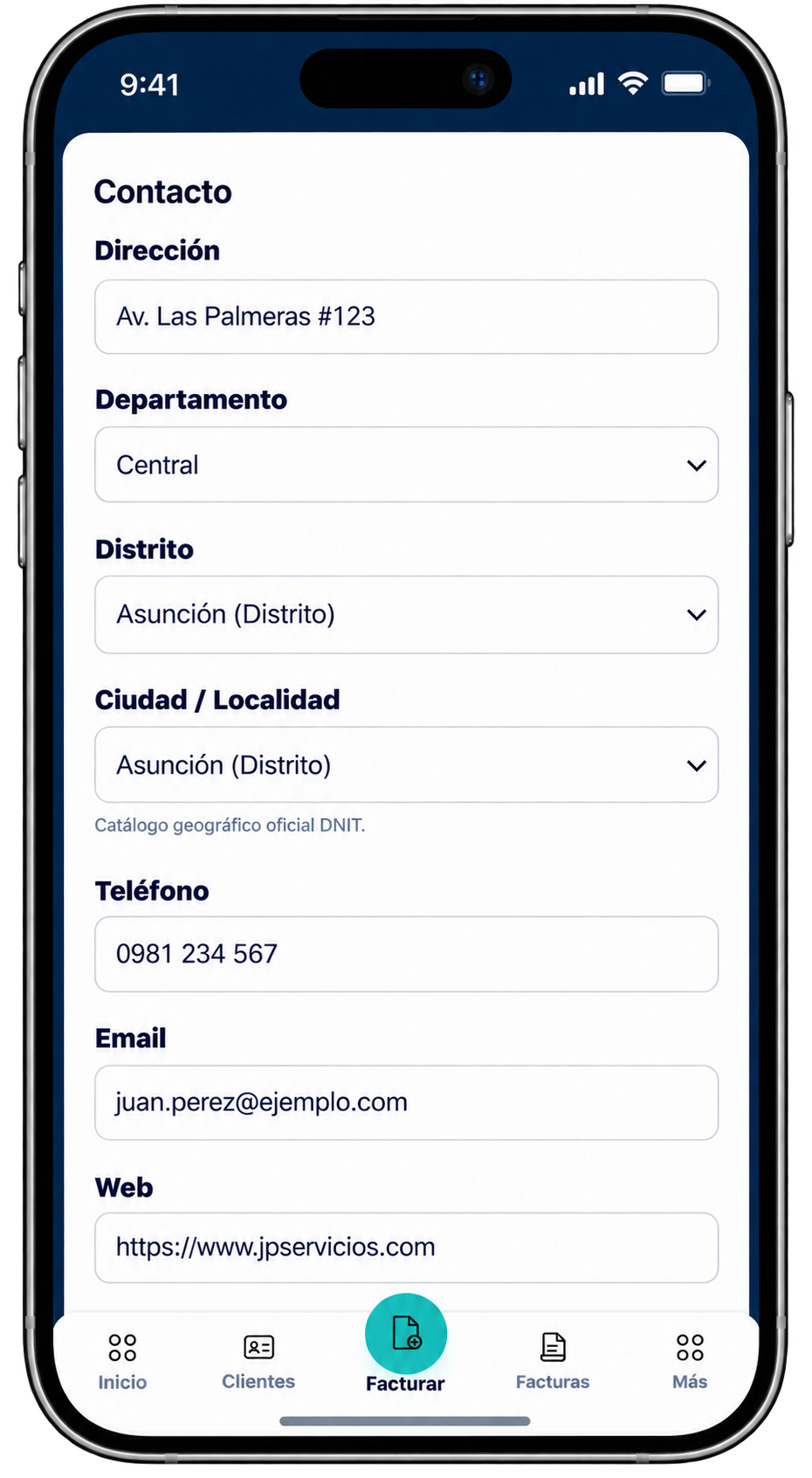
Complete the issuer’s contact and location information.
Enter the address and select the department, district and city or locality using the available DNIT geographic catalog. Complete the telephone, email and web fields as applicable.
Company Logo
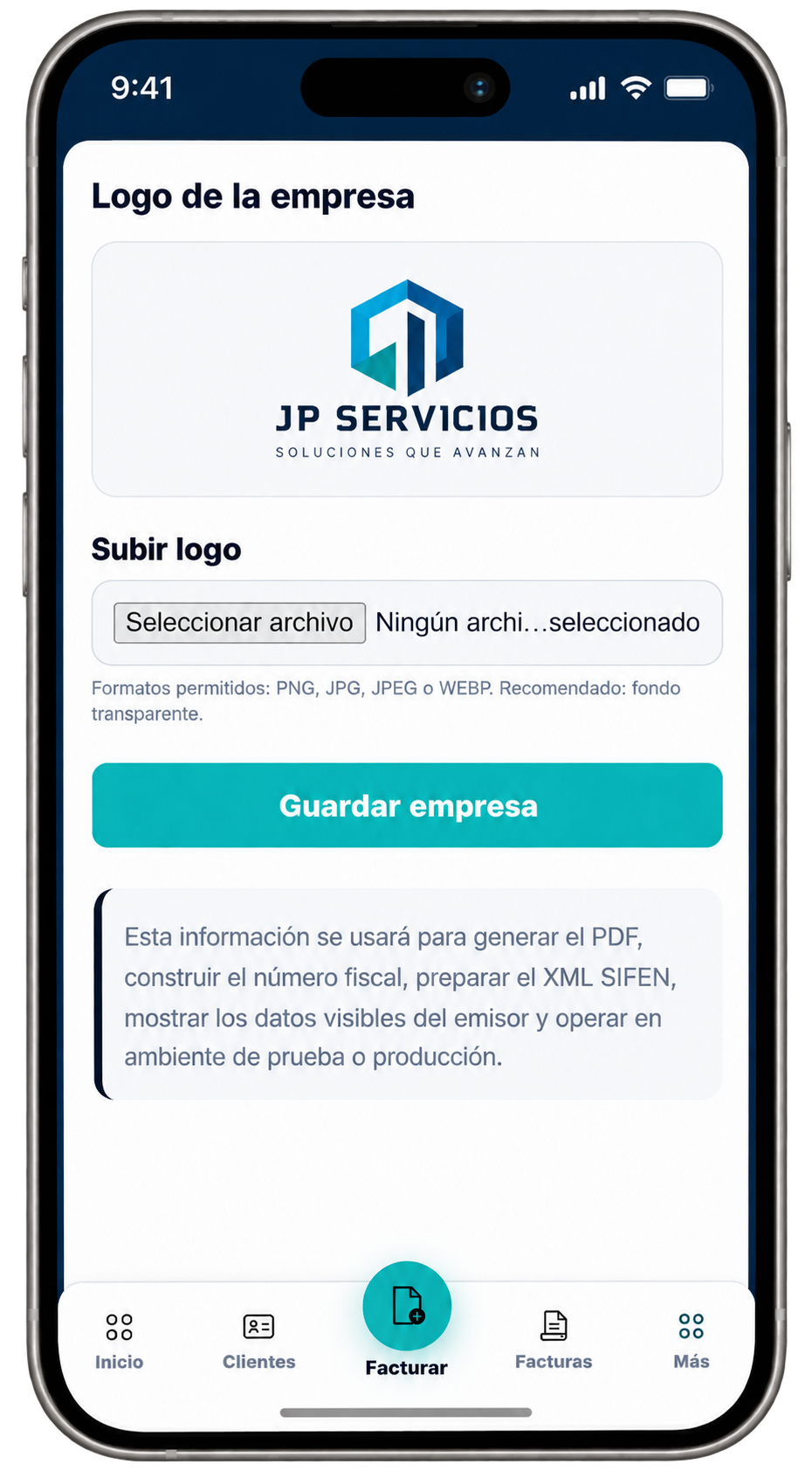
Upload the logo that will be used in the document presentation.
EventFlow FE accepts PNG, JPG, JPEG and WEBP image files. A transparent background is recommended when available.
After reviewing the information, select Guardar empresa (Save Company).
Issuer configuration complete
Once the company information has been saved, continue with the electronic signature and SIFEN configuration.